Game Asset · GPT Image 2 Example
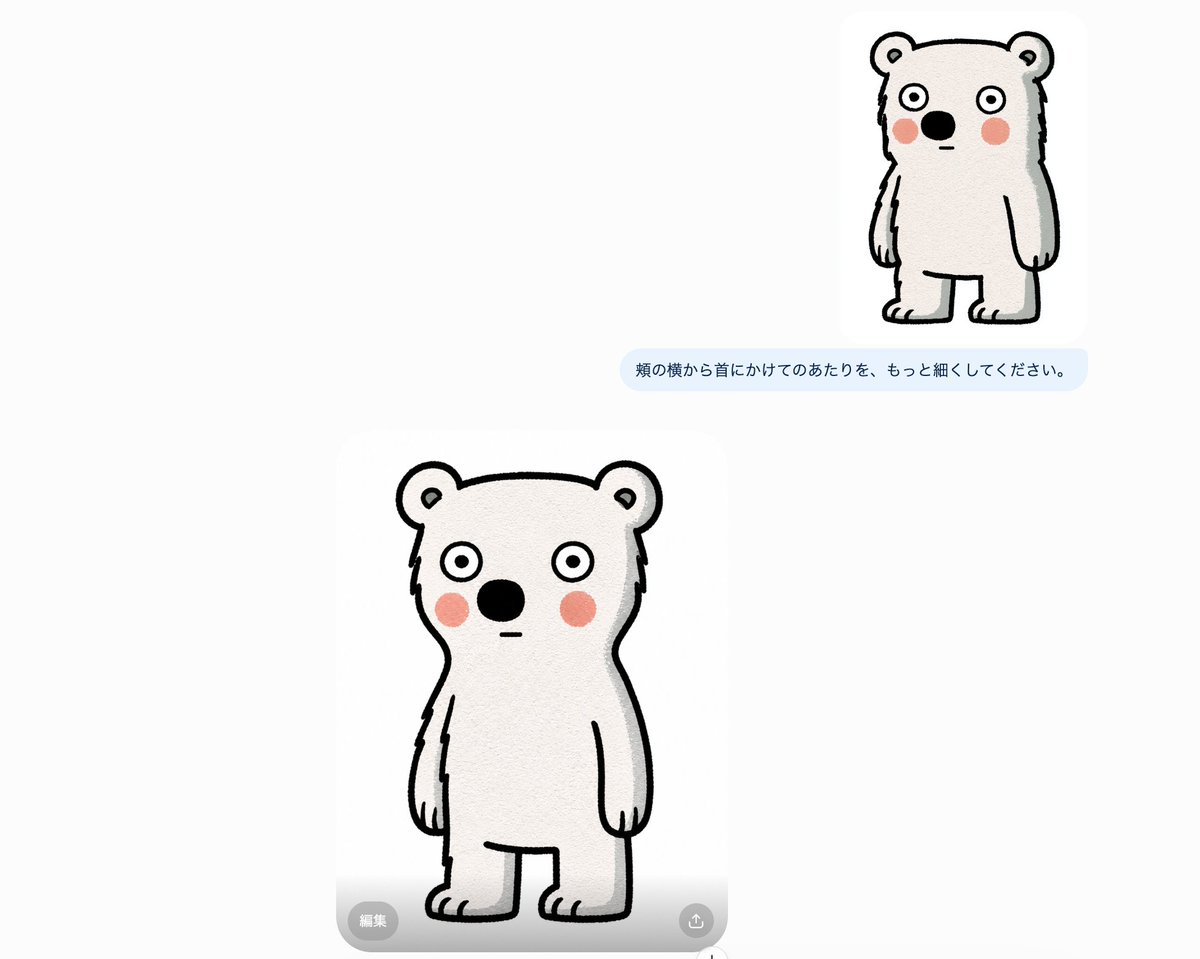
Game Asset - Bear Character Edit Screenshot
Generates a minimalist AI image editing interface screenshot showing two versions of a cute hand-drawn bear mascot with a Japanese edit instruction bubble.
- Creator
- しゅんち(小柴俊太郎)@神戸AI漫画家
- Published
- September 2, 2026
Original Prompt
Goal: Create a clean screenshot-like composition showing an AI image editing variation of a simple bear character, with the smaller original/reference result above and a larger edited result below.
Canvas: Wide horizontal canvas, approximately 1200×960 px, very light gray-white background with lots of empty space. Minimal interface feel, like a chat/image generation workspace.
Layout: Place exactly 2 bear illustration cards on the canvas. Card 1 is small and positioned in the upper-right quadrant, with a rounded white image area. Card 2 is much larger, positioned lower-left/center, also inside a rounded white image area. Between them, slightly below the small top bear, place exactly 1 pale blue rounded chat bubble containing Japanese instruction text. On the large bottom image card, include exactly 2 small translucent gray UI controls: one rounded pill button at the bottom-left labeled 「編集」 and one circular icon button at the bottom-right with a simple upload/share arrow icon.
Text content: The single chat bubble must read exactly: {argument name="edit instruction text" default="頬の横から首にかけてのあたりを、もっと細くしてください。"}
Subject details: The subject is exactly 2 versions of the same cute, hand-drawn, upright bear-like character. The character has off-white fur, thick black sketchy outlines, rounded ears with small inner-ear marks, wide circular eyes with black pupils, a large black oval nose, a tiny straight horizontal mouth, pink circular blush marks on both cheeks, short arms hanging down, stubby legs, and small toe lines. The top bear is smaller and slightly slimmer with a more vertical body. The bottom bear is larger and centered in its card, with a rounded head and body, narrowed neck/cheek area, simple symmetrical pose, and a slightly uncertain blank expression.
Visual style: Minimal doodle mascot illustration, rough black ink outline, subtle paper or canvas texture, soft off-white fill, pale pink cheek circles, no shadows except very faint card/UI softness. The overall image should look like a casual GPT image editing interface screenshot, not a polished poster.
Constraints: Use exactly 2 bear illustrations, exactly 1 Japanese chat bubble, and exactly 2 UI overlay controls. Keep the background mostly empty, preserve the asymmetrical placement, avoid adding extra characters, extra text, watermarks, or decorative elements.
Generate from This Prompt
Customize the Prompt and Create Your Version
GPT Image 2 is selected automatically, with the complete original prompt loaded above.